A livestream proves that a camera is sending a picture. It does not prove that a remote participant can hear a question from the back of the room, open the worksheet, use an interpretation feature, or contribute before a decision is made. A useful rehearsal treats the physical room and remote connection as two equally important participation environments.
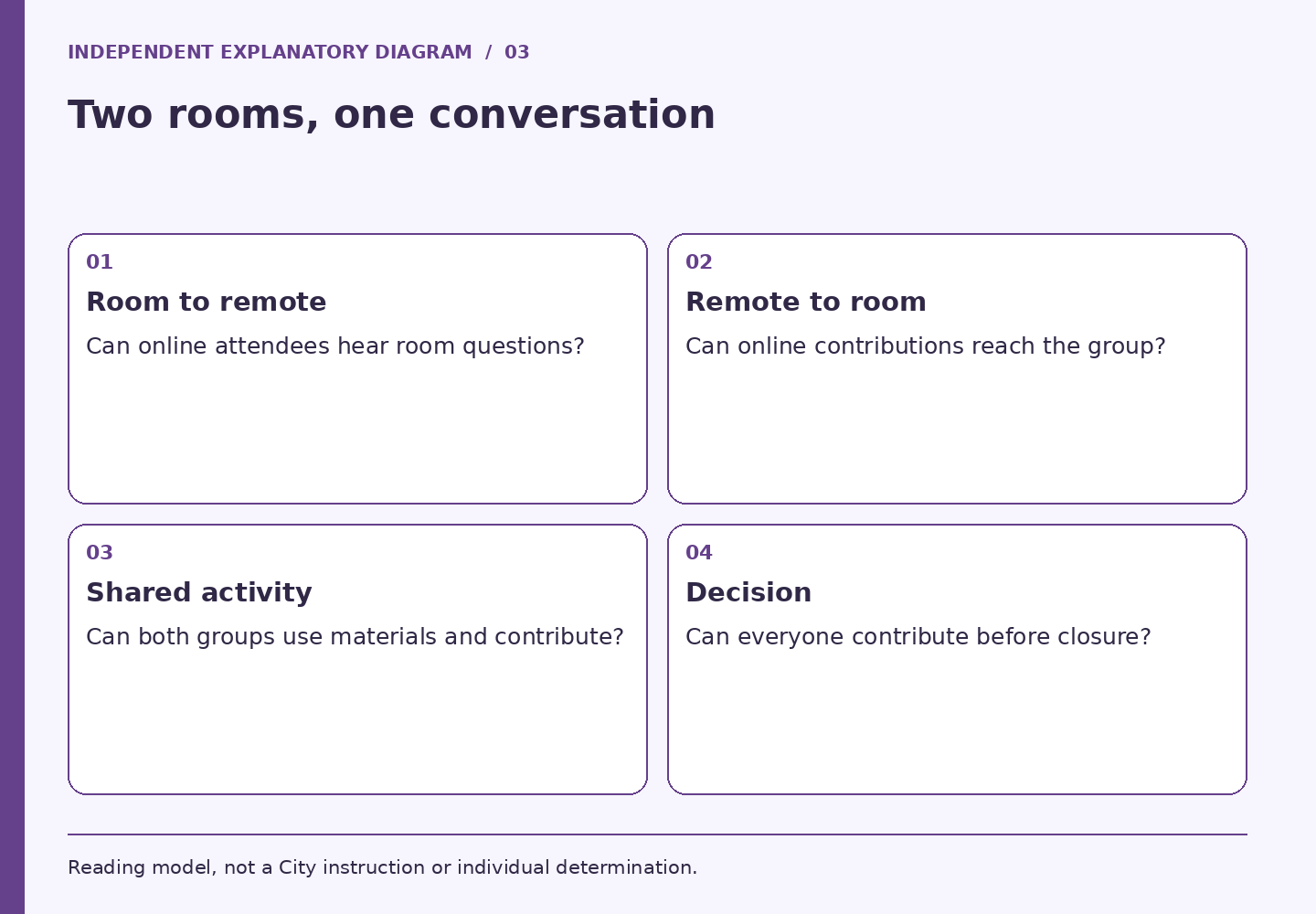
The Massachusetts Office on Disability advises organizers of hybrid events to consider both physical and virtual access. W3C's remote-meetings guidance also separates responsibilities involving the platform, the host, and the shared content. These are planning resources, not approval of a particular product or meeting setup. Massachusetts Office on Disability: Tips for hosting accessible events and meetings W3C: Accessibility of Remote Meetings
Test the smallest complete interaction
Do more than ask whether everyone can hear the presenter. Rehearse one full cycle: a person in the room asks a question, a remote participant hears or accesses it, the facilitator acknowledges a remote contribution, and both groups receive the answer. Repeat with the presentation on screen and any communication support in use. A setup that works during introductions may behave differently during screen sharing.
Have a tester join through an ordinary participant account, rather than only the host's view. Check how they locate materials, request to speak, switch relevant views, and return from a breakout activity. If a feature needs special instructions, put those instructions in an accessible place before the meeting begins.
Give someone responsibility for the remote room
A presenter managing slides may miss chat, raised hands, or a disconnected participant. Assign a second person to monitor the remote channel when the meeting's scale warrants it. Describe what that role can do: alert the chair, repeat an unanswered question, pause the exercise, or invoke the planned fallback. Do not rely on an unspoken expectation that someone will notice.
For a small session, the facilitator may fill multiple roles, but the responsibilities still need names. Decide how a participant reports a problem without having to use the very feature that has failed. Put the appropriate official contact route in the invitation; do not direct participants to this publication for live support.
Make the shared activity genuinely shared
Imagine a fictional workshop where people in the room write suggestions on wall cards while online attendees watch. The online group can see activity but cannot participate in the same way. The organizer could redesign the exercise around a tested accessible method available to both groups, or arrange an equivalent supported contribution process. The choice needs to fit the activity and its participants.
A photographed wall is rarely a complete record for everyone. Summarize contributions in usable text, read relevant information aloud during discussion, and explain when remote comments will be considered. Test any alternate method rather than assuming that replacing one tool with another solves every access problem.
Decide what happens when the test fails
- Audio failure: identify who can stop the discussion and restore the shared conversation
- Material failure: provide the verified usable version through the planned channel
- Participation failure: pause the decision until the organizer has addressed the barrier
- Support failure: contact the responsible service provider and follow the agreed contingency
After the session, ask which part of participation remained difficult. Keep technical observations separate from personal accommodation details. A successful rehearsal reduces avoidable surprises, but the live meeting still needs someone watching whether the plan works.
LOCAL READING AID / NO PERSONAL INPUT
Participation Readiness Map
Choose a work product and the stage of participation. Get a practical plan, focused review questions, and a route to the official source. No personal information is requested.
Read the method without JavaScript
Choose a work product and the stage of participation. Get a practical plan, focused review questions, and a route to the official source. No personal information is requested.
- Boston: Language and Communications Access: Define every participation activity, including questions and follow-up. Assign owners for the venue route, materials, communication arrangements, and live troubleshooting. Check current departmental LCA steps before committing funds.
- Massachusetts Office on Disability: Tips for hosting accessible events and meetings: Test a room question reaching a remote participant and a remote contribution reaching the room. Test shared files, communication supports, and the breakout activity with a participant account. Name who can pause the session and invoke the agreed fallback.
- Massachusetts Office on Disability: Creating accessible digital documents: Confirm the approved audience, required action, version, and owner. Review structure, meaningful links, and non-text content in the editable source. Reopen the exported file and test the actual distribution link.
- Boston: Language Access Information and Services: Separate live conversation needs from written-material needs. Provide the authorized coordinator with the format, activity, timing, and approved materials. Track source edits across every affected language version and delivery format.
- W3C WAI: Understanding Media Alternative (Prerecorded): Inventory what the lesson communicates through speech, sound, and visuals. Review captions for instruction-changing errors and identify visual meaning absent from the audio. Check the player, companion files, version, and support route as one package.
- City of Boston Employee Handbook: Policies and Procedures: Identify whether this is an employee workplace process, a City-program question, or an operational defect. Use the appropriate official channel for personal supporting information. Assign a repair owner and choose a test that matches the reported participation failure.
Choices stay in page memory. No submission, tool storage or URL change. Browser-managed form restoration may behave independently. External source links follow their own policies. Source context checked October 7, 2026.
Sources and scope
Public sources checked October 7, 2026. The exercises and fictional cases are independent editorial work. This publication cannot certify accessibility, decide an accommodation, or act for the City.
- Massachusetts Office on Disability: Tips for hosting accessible events and meetings: In-person, virtual and hybrid event planning; access across participation methods. General guidance, not an event compliance determination.
- W3C: Accessibility of Remote Meetings: Technical guidance for host, platform and content responsibilities, including hybrid participation. Not a legal ruling.